
Simple Save

Simple Save is an easy to use app that helps the user keep track of their spending usage from things such as goods like subscriptions, merchandise, entertainment, take out and necessities like rent, car payments, utilities, groceries. The user can come up with their own goals they want save up for and Simple Save keeps track of how far or close they are to reaching that goal.
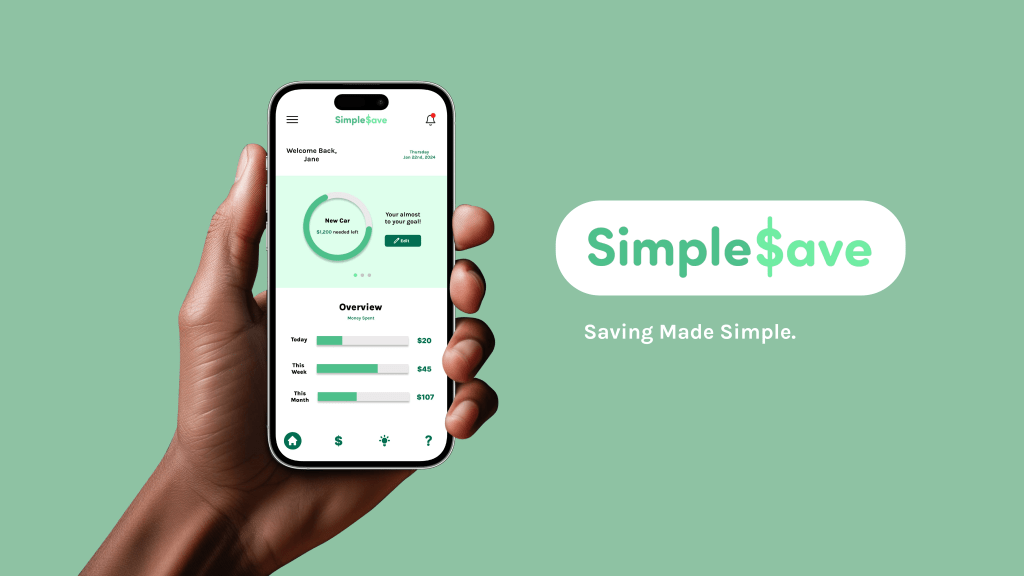
Project Overview
The Problem
Budgeting and saving can be hard and takes discipline and time. Simple Save has the ability to teach users how to save and budget their funds in a way that is attentive and beneficial for them.
The Goal
The goal is for the app to be easy to navigate and understand while also keeping the user engaged and involved in creating their budgeting goals.
My Role
As the UX & UI designer/researcher, this is an individual project that allowed me to plan and direct each step of the design process.
Responsibilities
Conduct User Research
Wireframing
Low & High-Fidelity Prototyping
Visual Designing
User Research
Summary
I used secondary research for my study. I came to the conclusion with the help of my research that the age group was going to be young to middle aged adults. 35% of the U.S demographic that uses budgeting apps/websites is 25-34 year olds. (Statista Research Department 2022). I want to cater at a even younger audience starting at age 18 to help them budget so that as they get older, managing money can get easier as more bills and responsibility pile on.
User Pain Points
Financial Issues – Application will be free to use to avoid money issues and payments.
Complexity – App will be made easy to navigate (get user to point A – B). Their will be simple buttons and navigation tools that will get user directly to where they want to go.
Lack of Support – Their will be a help page that will assist the in user in answering any questions they have including a FAQs section and a option to chat with a representative for more needed assistance.
Competitive Audit

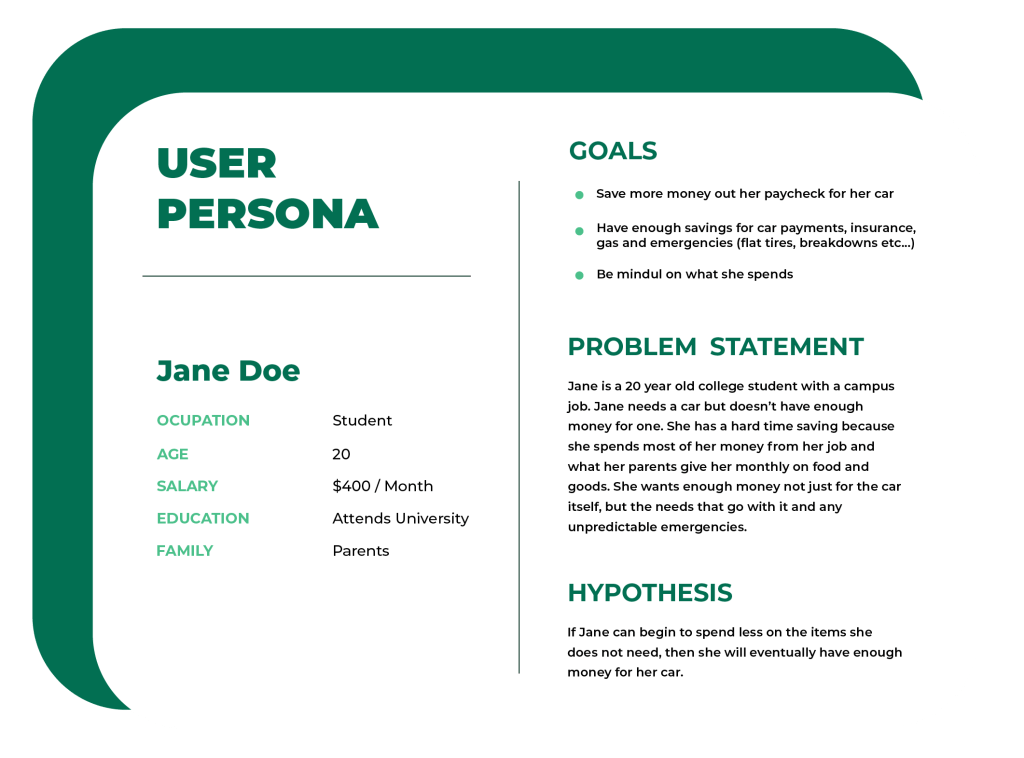
User Persona
App Features & Benefits
- Spending tracker
- Goals will be shown
- Lists out all transactions
- Shows weekly amount spent
- Gives user budget updates (keeps them alert and focused on goal)
- Gives user tips to keep them motivated
- Is free to use
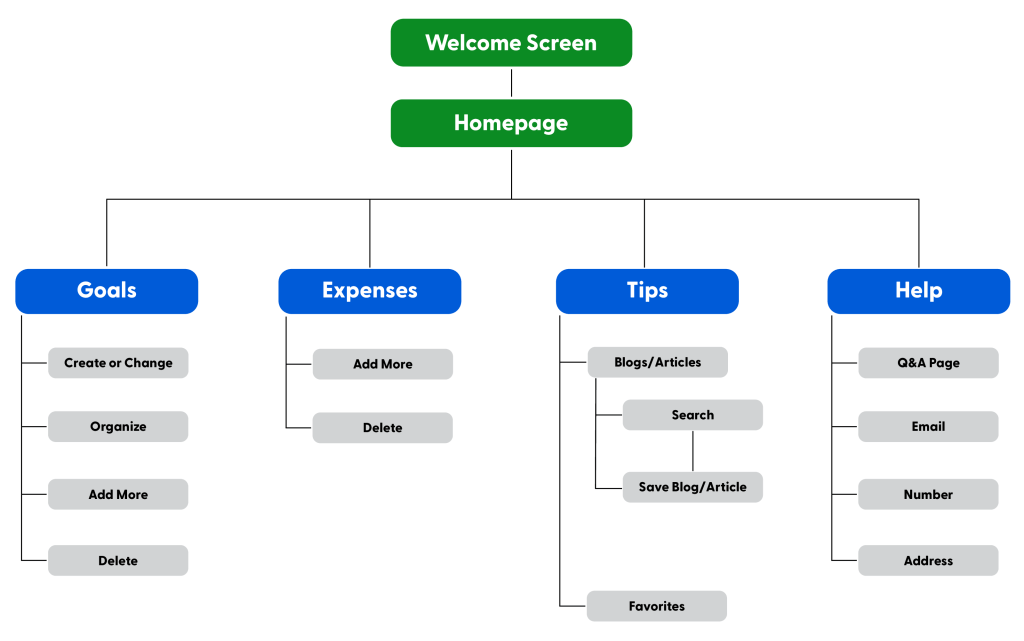
Site Map
I developed flows to ensure users can successful complete their primary objectives while reducing the existing pain points.
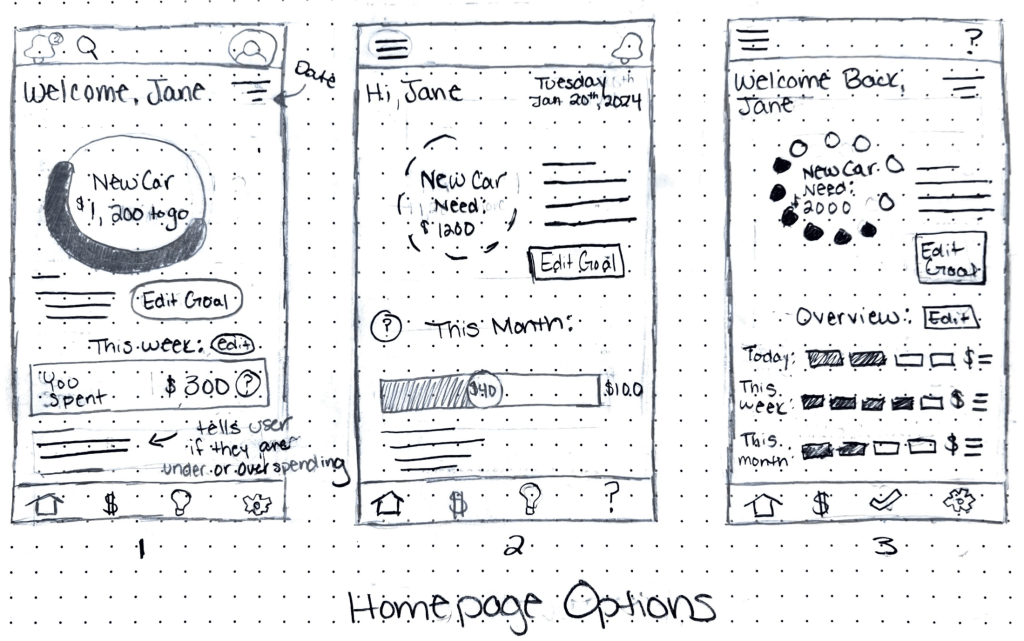
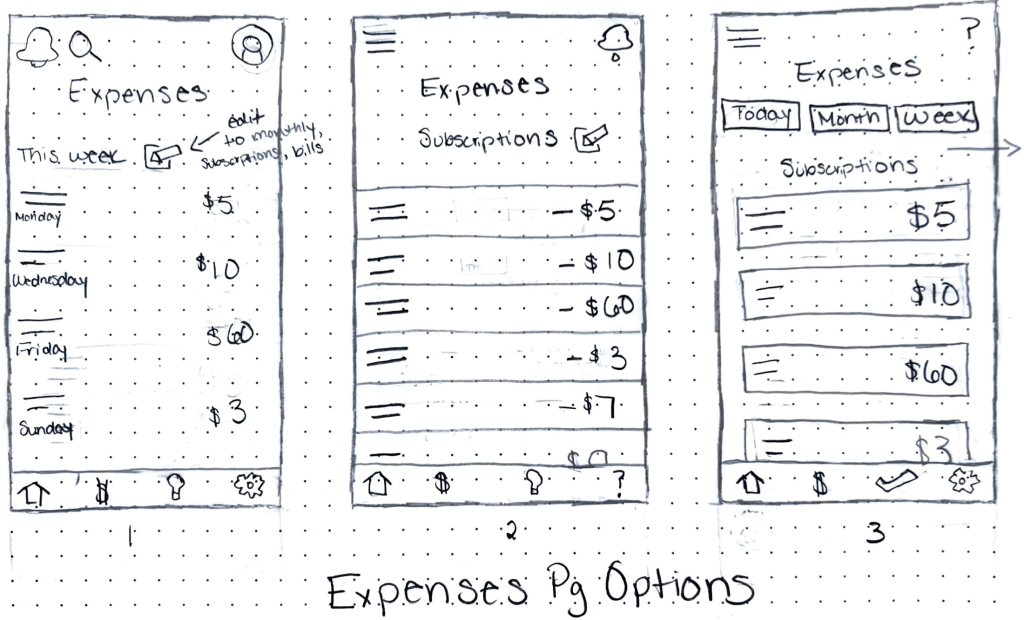
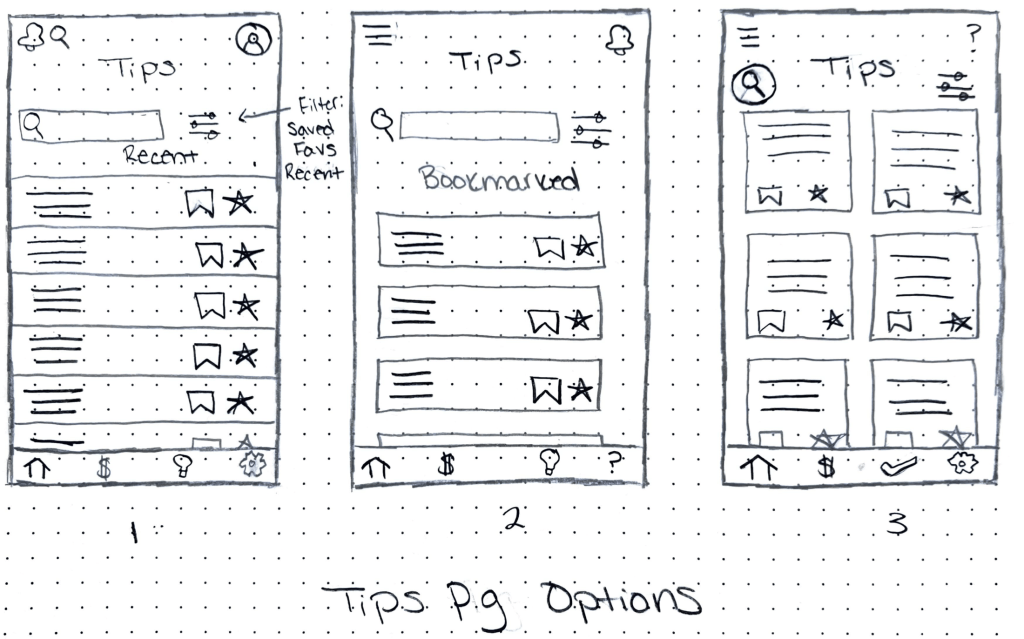
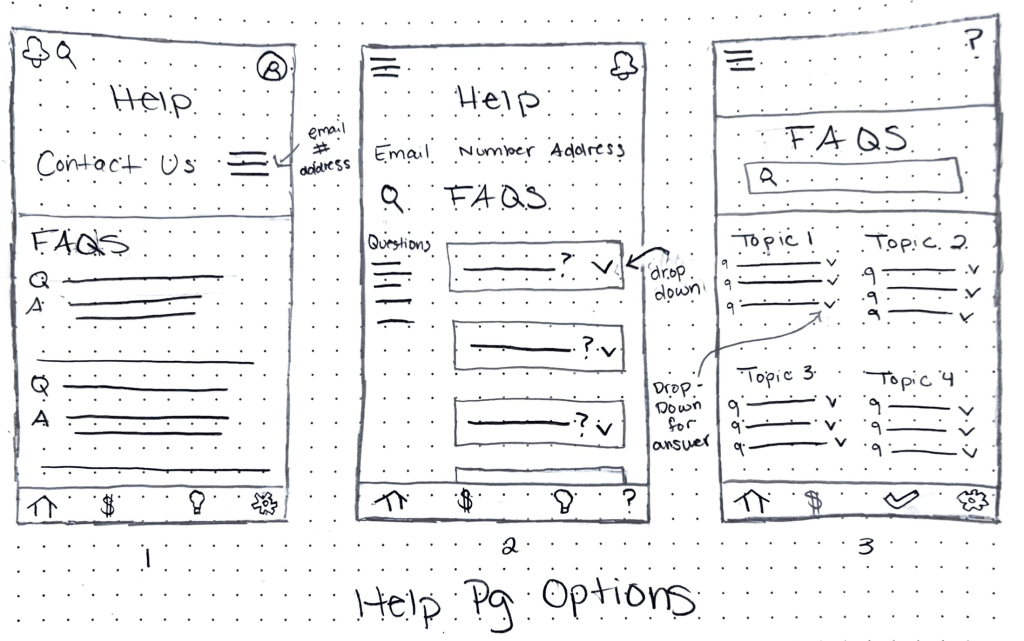
Paper Wireframes
Homepage Options
Expenses Page Options
Tips Page Options
Help Page Options
Digital Wireframes
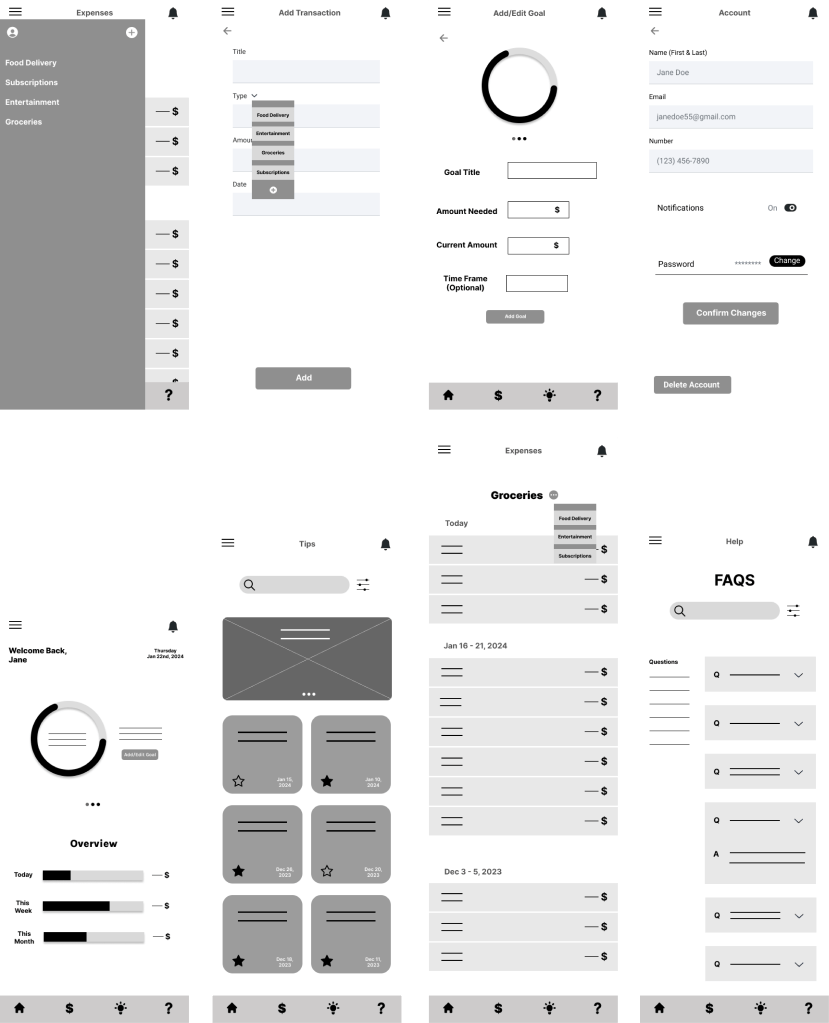
Low-Fidelity Prototype
Click the button to interact with the apps Low-Fidelity Prototype
Usability Testing
4 Participants
Type: Unmoderated Usability Study
Findings 1 – Users read certain content faster when it had an icon next to it. I’m going to add icons next to the words in the hamburger menu so they can get to their desired destination faster.
Findings 2 – On the “Expenses” page, users were missing a way to edit/rename their expenses title directly on that page.
Findings 3 – On the “Add Transaction” page, users wanted to know how they would have to format the date when typing it in. Example would be having mm/dd/yyyy already there rather than a blank space.
Findings 4 – Easier way to get back to the homepage or go back to a previous page
Mockups
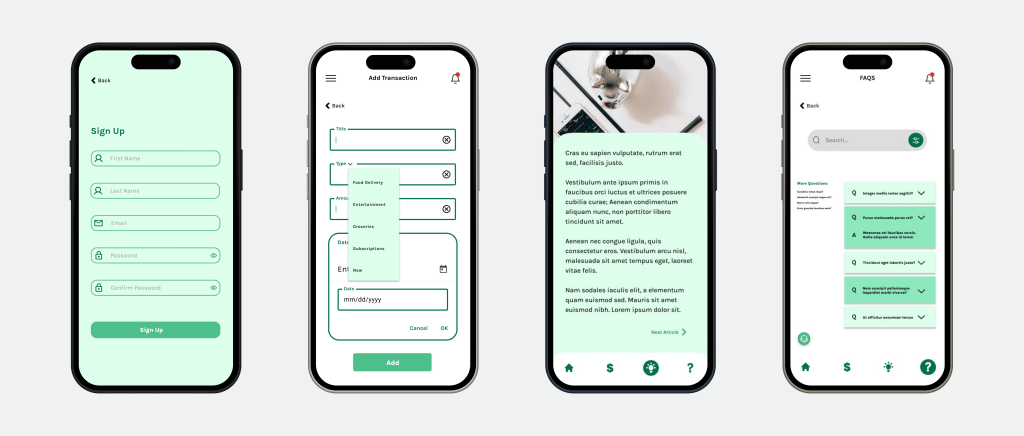
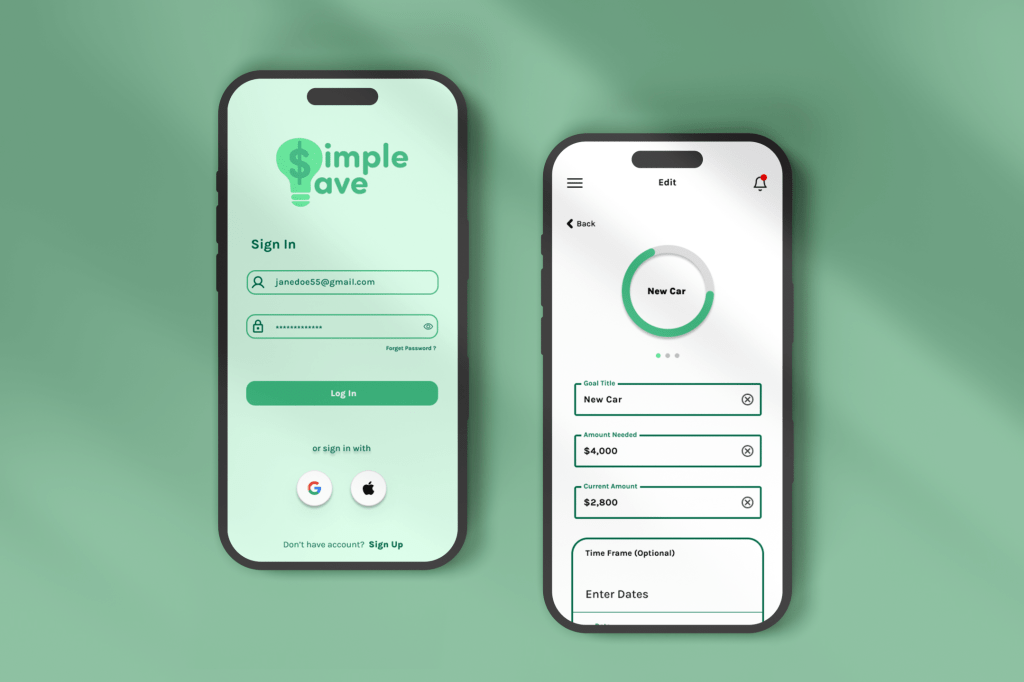
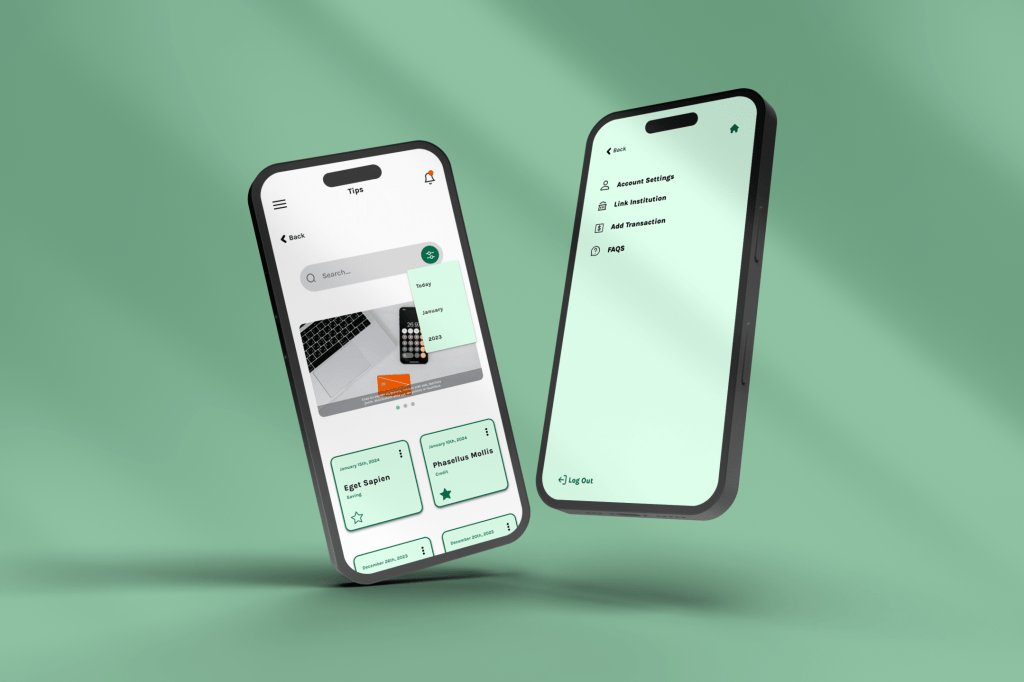
High-Fidelity Prototype
Click the button to interact with the apps High-Fidelity Prototype
Or
Watch this quick video
 Lekia's Portfolio